No Booking Fees

When planning your train journey, getting the right seat can make all the difference. Whether you prefer a window seat to watch the world go by, an aisle seat for a little extra freedom, or a table seat to have more space to catch up on work, being able to choose where you sit is a great way to personalise your journey.
That's why we've introduced Seat Picker, giving customers booking direct at hulltrains.co.uk the opportunity to choose their preferred seat when booking a Hull Trains service between Hull and London King's Cross.
Not sure how it works? Don't worry! We've put together this simple step-by-step How To guide to help you choose your seat.
That's why we've introduced Seat Picker, giving customers booking direct at hulltrains.co.uk the opportunity to choose their preferred seat when booking a Hull Trains service between Hull and London King's Cross.
Not sure how it works? Don't worry! We've put together this simple step-by-step How To guide to help you choose your seat.
Step 1: Visit hulltrains.co.uk and search for your journey
Head to hulltrains.co.uk and enter your departure and arrival stations, travel date and time, and number of passengers plus any railcards you may have. Browse the results and once you've chosen your preferred service, continue through the booking process.
Remember, Seat Picker is only available when booking direct through our website on Hull Trains services between Hull and London King's Cross.
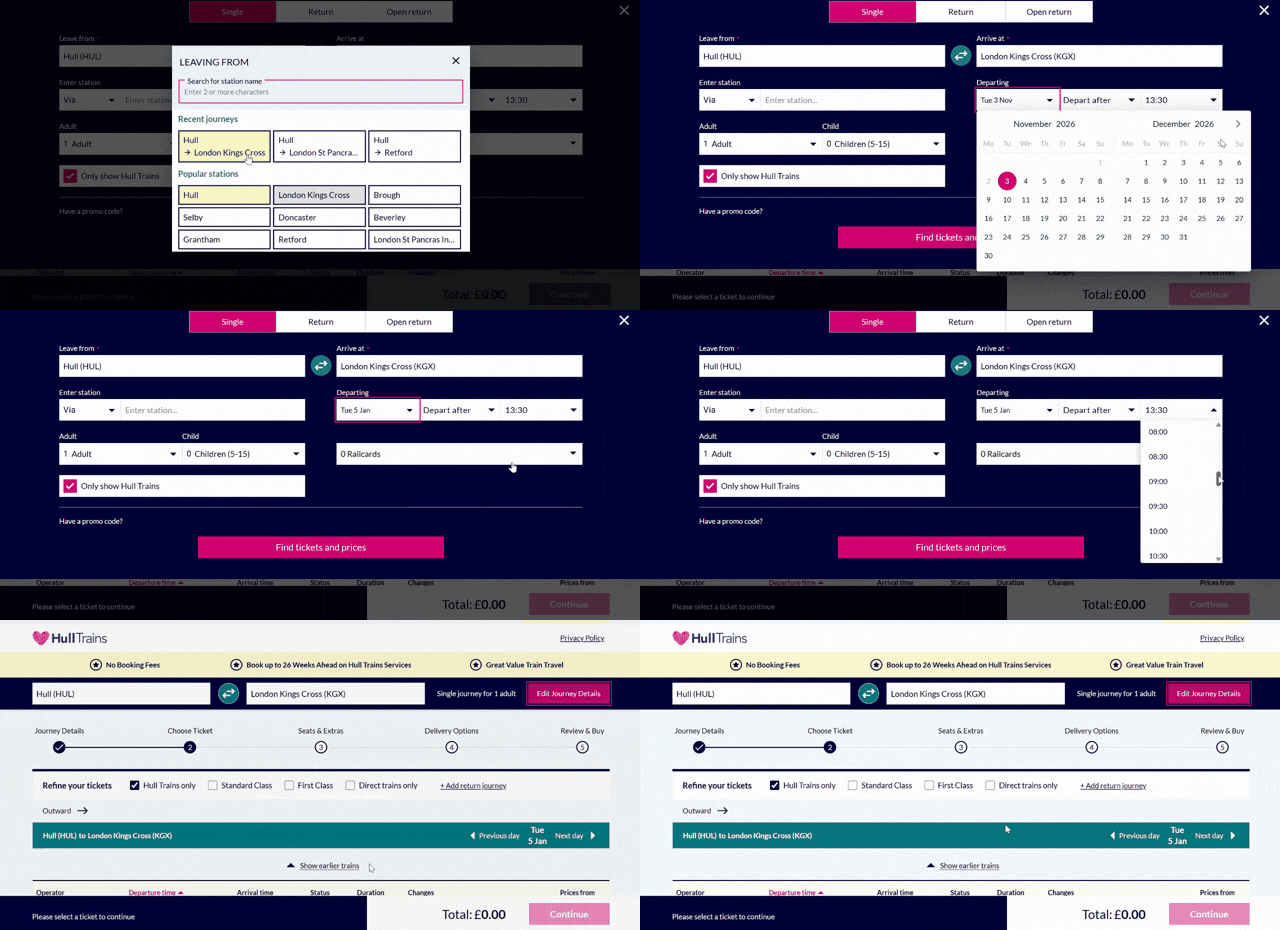 Step 1: Search for your Hull Trains journey.
Remember, Seat Picker is only available when booking direct through our website on Hull Trains services between Hull and London King's Cross.
Step 2: Open Seat Picker
When you reach the Seats & Extras stage, you'll see a pink button labelled “View Seat Picker”. This is where you’ll be able to choose your exact seat for your journey.
If you wish to book accessible and priority seating, please contact our Passenger Assist team.
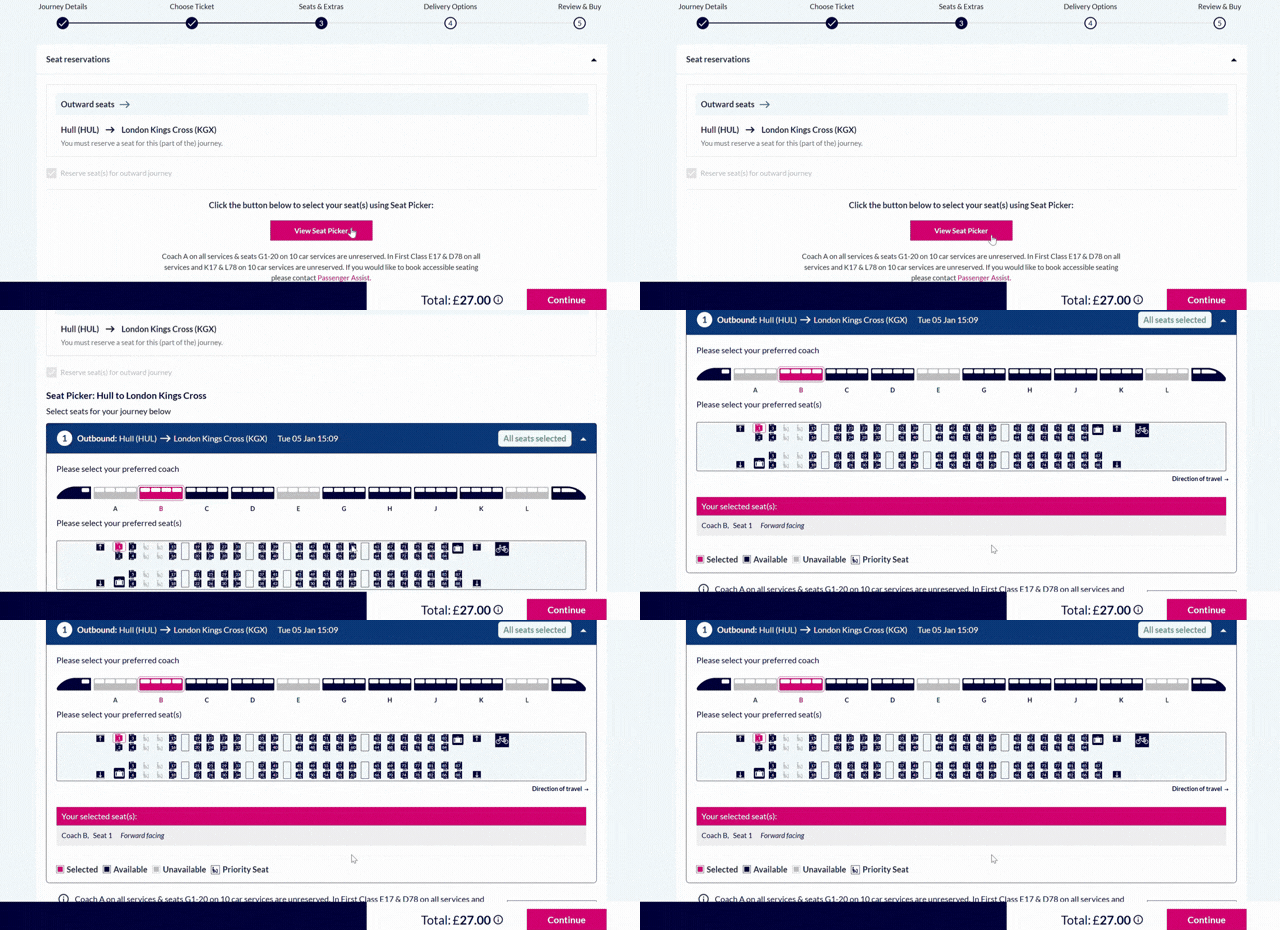 Step 2: Open the Hull Trains Seat Picker.
If you wish to book accessible and priority seating, please contact our Passenger Assist team.
Step 3: Choose your preferred seat
Now for the fun part! Here you can browse the seating plan of the train and select your preferred available seat in a carriage for your class of travel depending on your ticket type. Seat Picker shows the direction of the train and whether each seat is forward or backwards facing.
Whether you're hoping for a window seat, prefer sitting by the aisle or want to sit at a table, you can explore the available options before making your selection. You’ll also see which seats have already been booked by other customers, and where the bike and luggage storage areas are.
If you are booking as part of a group, you’ll need to unselect the pre-selected seats first to choose new ones.
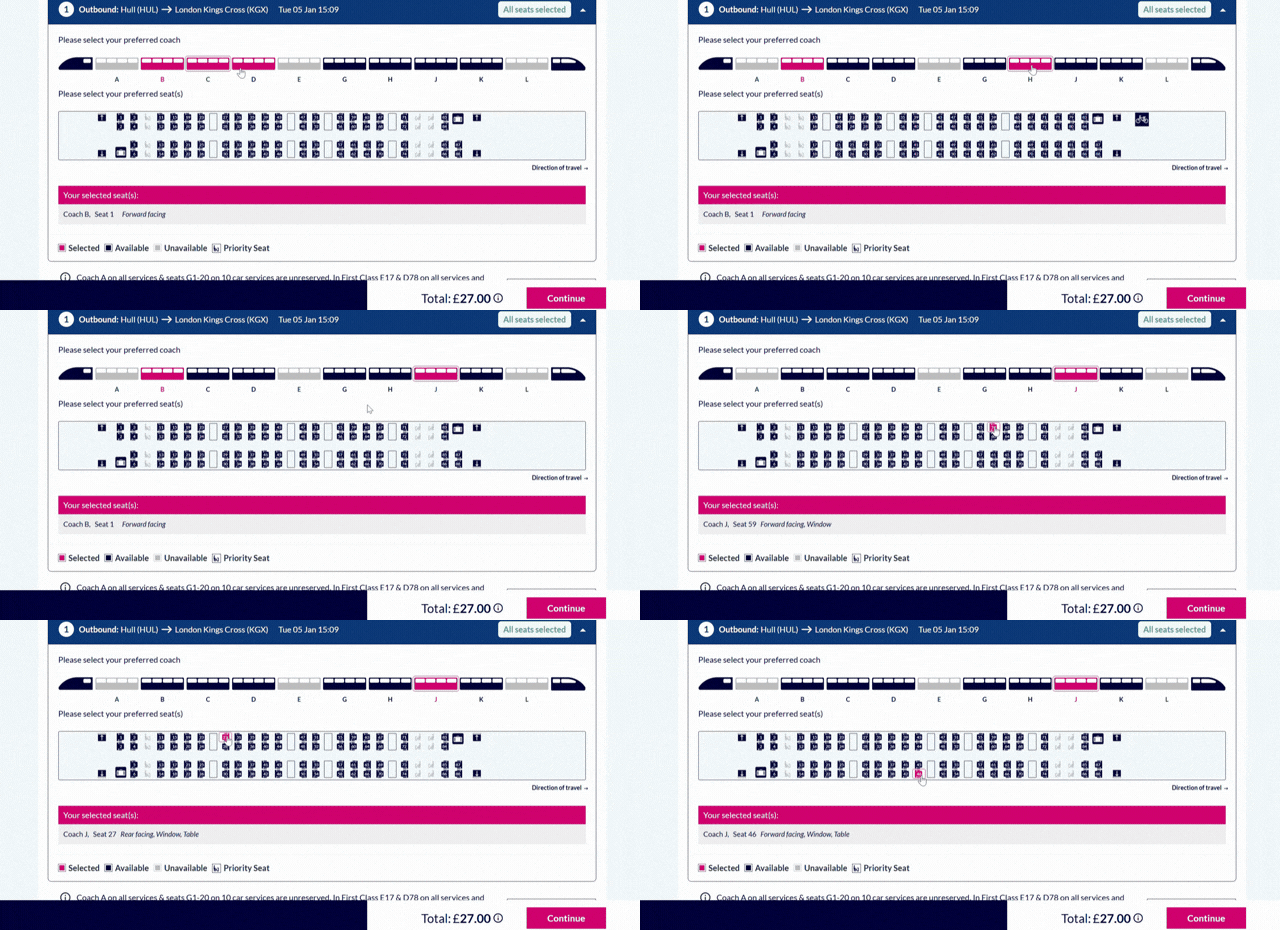 Step 3: Browse the seating plan and choose your preferred seat.
Whether you're hoping for a window seat, prefer sitting by the aisle or want to sit at a table, you can explore the available options before making your selection. You’ll also see which seats have already been booked by other customers, and where the bike and luggage storage areas are.
If you are booking as part of a group, you’ll need to unselect the pre-selected seats first to choose new ones.
Step 4: Confirm your seat and continue booking
Once you've made your seat selection, choose whether you need any Journey Extras such as a bike reservation, then tap Continue to proceed with your booking. You’ll then be prompted to log in if you haven’t already.
Choose how you’d like your ticket delivering, whether that’s an eTicket, ticket for collection or post. Review your booking, enter your payment details, and you’re done!
With the Hull Trains Seat Picker, choosing where you'd like to sit is easier than ever. Simply book direct through our website, select a Hull Trains service and choose your preferred available seat from the seating plan.
Choose how you’d like your ticket delivering, whether that’s an eTicket, ticket for collection or post. Review your booking, enter your payment details, and you’re done!
With the Hull Trains Seat Picker, choosing where you'd like to sit is easier than ever. Simply book direct through our website, select a Hull Trains service and choose your preferred available seat from the seating plan.
Book your Hull Trains journey today at hulltrains.co.uk.